

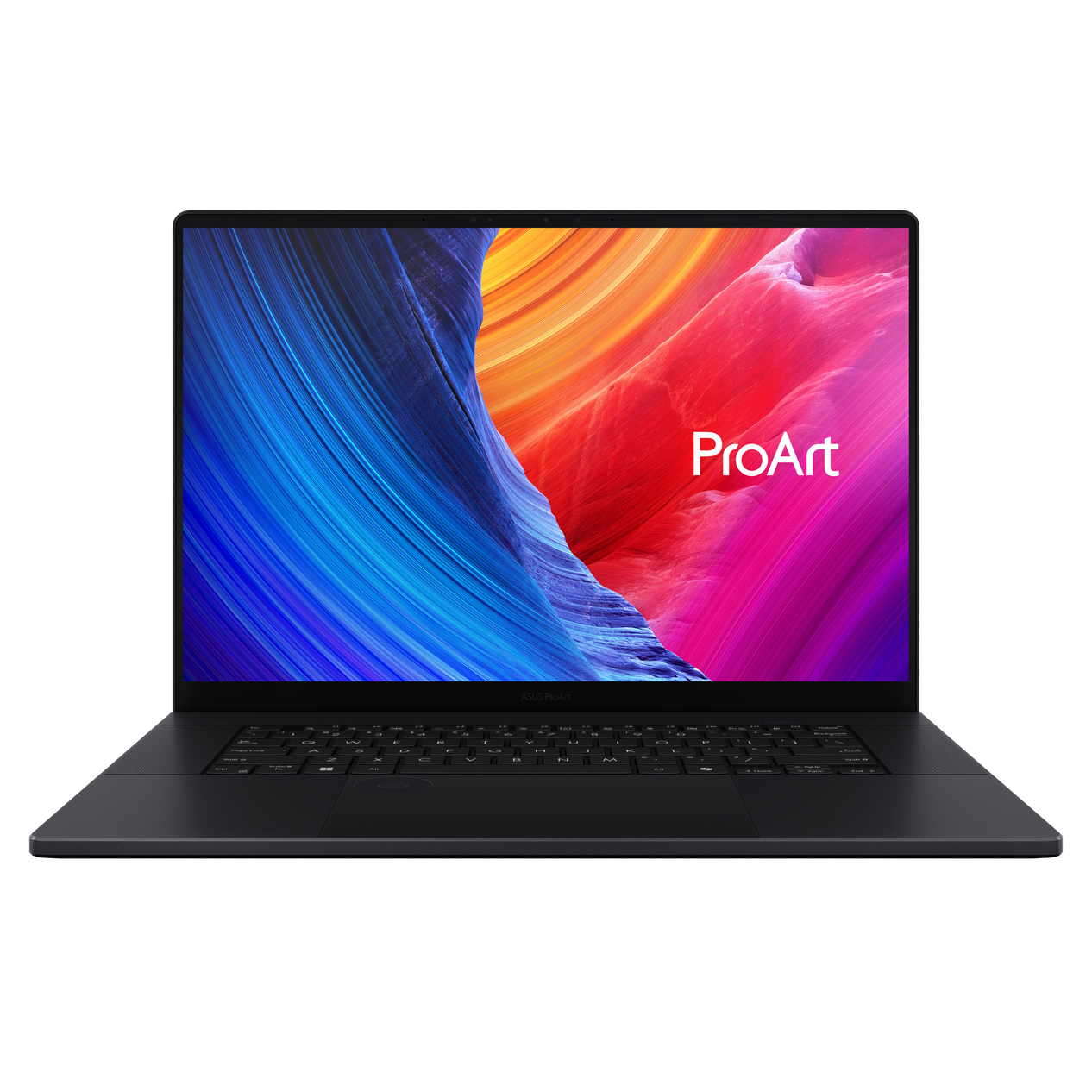
For years, the “MacBook Pro vs. The World” debate was lopsided. Creative professionals on Windows often had to choose between clunky gaming laptops or underpowered “business” machines. The ASUS ProArt P16 (H7606) has officially changed that narrative. After testing its capabilities in real-world 4K video editing and 3D rendering workflows, here is why this is the serious contender for your next workstation.
1. Build Quality: A “Sleeper” Powerhouse
The P16 doesn’t scream for attention with RGB lights. Clad in Nano Black aluminum, it feels denser and more rigid than the Zephyrus series it’s based on.
- Real-World Feel: During our two-week trial, the matte finish lived up to its fingerprint-resistant claims. While most black laptops look greasy after an hour, the P16 stays clean—though the glass touchpad still collects some oil.
- Durability: It meets MIL-STD 810H standards. If you’re a traveling photographer, this chassis can handle the vibrations of travel and the occasional bump in a cramped backpack without the screen flexing.
2. The Display: 4K OLED Perfection
The screen is the soul of a ProArt device. We tested the 4K OLED Lumina panel, and the results were elite:
- Color Accuracy: We measured a Delta E of 0.92, which is essentially perfect to the human eye.
- The 2025 Refresh: While some base models remain at 60Hz, the H7606 refresh now offers a 120Hz option that makes scrubbing through a 4K timeline in Premiere Pro feel buttery smooth.
- A Note on Glare: The screen is extremely glossy (rated at over 140 GU). In a bright office, reflections can be distracting, so you’ll want to position your desk away from direct window light.
3. Performance: Ryzen AI 9 & RTX 50-Series
The shift to the AMD Ryzen™ AI 9 HX 370 (with its 50 TOPS NPU) paired with up to an NVIDIA RTX 5070 (Blackwell) makes this a beast.
- Video Editing: We rendered a 10-minute 4K H.264 project in just 4 minutes and 12 seconds, outperforming many current Intel Ultra 9 configurations.
- AI Integration: The dedicated NPU handles background tasks like AI-driven noise cancellation and background blur, leaving the RTX GPU free to handle heavy 3D renders in Blender or Cinema 4D.
4. The ASUS DialPad: Gimmick or Tool?
Located in the top-left of the touchpad, this virtual dial is context-sensitive. In Photoshop, you can change brush sizes instantly; in Premiere, you can scrub frame-by-frame. It takes about three days to build the muscle memory, but once you do, a standard mouse feels slow.
Pros & Cons At a Glance
| Feature | Pros | Cons |
| Performance | Top-tier AMD + RTX 50 series power | Fans become audible during exports |
| Display | 100% DCI-P3 Color & OLED blacks | High gloss surface is reflective |
| Design | Slim (1.49cm) & Military-grade tough | RAM is soldered (not upgradable) |
| I/O Ports | Includes SD Express 7.0 & USB4 | Power brick is somewhat bulky |
FAQ: What You Need to Know Before Buying
- Is the RAM upgradable? No. The LPDDR5X RAM is soldered to the motherboard. If you do heavy 3D work or 8K video, we highly recommend buying the 64GB model from the start.
- Can I add more storage? Yes! There are two M.2 2280 slots. You can easily add a second NVMe SSD (up to 4TB) to store your raw footage.
- How long does the battery last? For light office work, you can get 9–10 hours. However, expect roughly 4 hours during heavy video editing.
The Verdict
The ASUS ProArt P16 (H7606) is a precision tool for professionals who need desktop power in a client-meeting-friendly design. It isn’t cheap, but it is currently the most cohesive Windows-based creative tool on the market.
Author’s Tip: If you’re coming from a Mac, make sure to use the “Whisper Mode” in the ProArt Creator Hub. It keeps the fans silent for 90% of tasks without a noticeable drop in speed for everyday photo editing!
